The Start Page makes it easy to open your files and learn more about the EasyPower program. This page opens automatically the first time you start EasyPower, but you can control whether it is displayed on subsequent sessions.
You can open the Start Page at any time by clicking the Home tab and selecting Window > View Start Page.
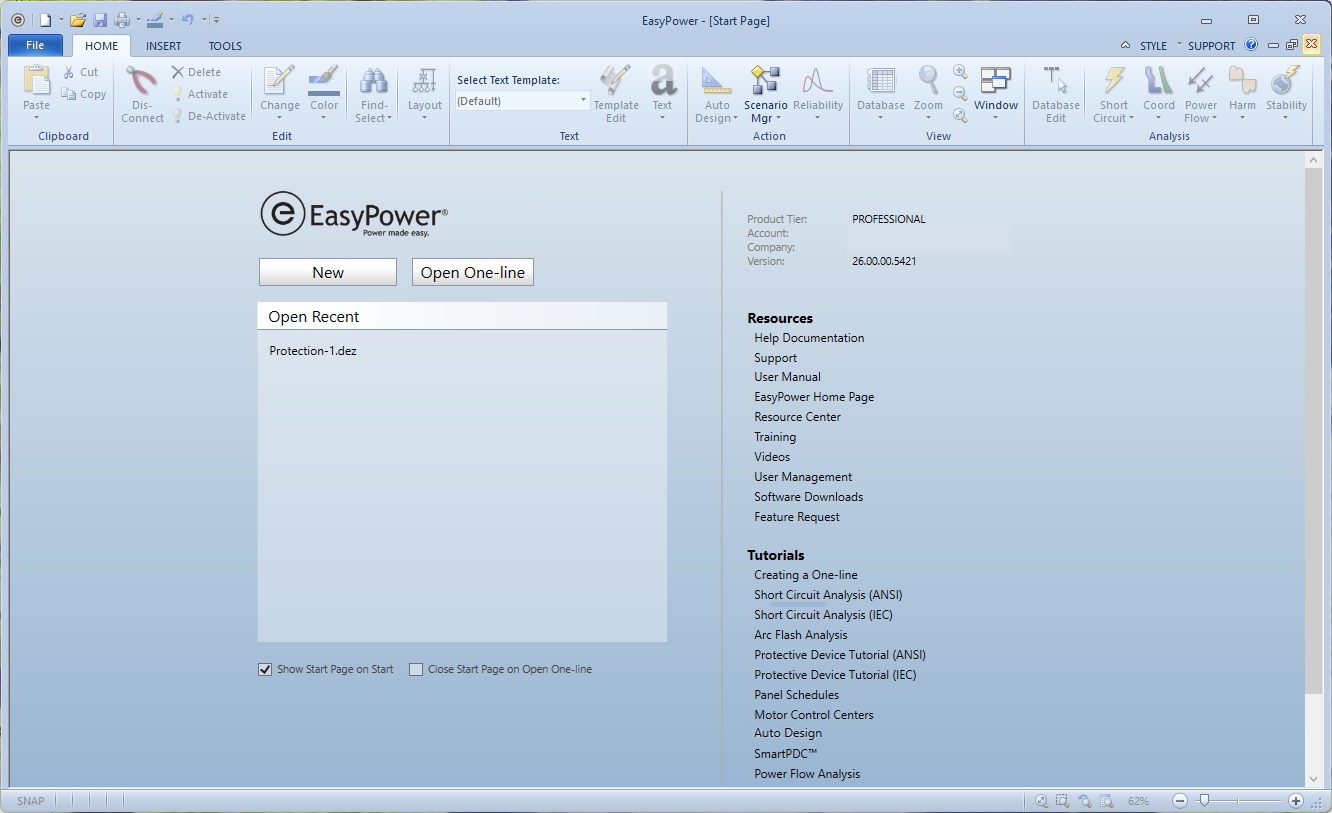
Figure 1: The Start Page
Start Page Options
The various options are described below.
| Option | Description |
|---|---|
|
New |
Click to open a new one-line diagram. Depending on your settings, the Start Page closes or moves to the background, and a blank one-line takes its place. |
|
Open One-line |
Click to open an existing one-line diagram. |
|
Open Project |
Click to open a new project. This option is only available if you have an enterprise license for EasyPower. |
|
Product Tier |
The product tier indicates which EasyPower features are associated with your license. |
|
Account |
The email you used to sign in to the CONNECTION Client. |
|
Company |
The name of your company. |
|
Version |
The installed version of your EasyPower software. |
|
Open Recent |
This area displays a list of up to 9 files you have opened recently. |
|
Resources |
This area displays additional resources you may find useful, including:
|
|
Tutorials |
This area displays a list of in-product tutorials. These tutorials provide a step-by-step guide to walk you through some of EasyPower's powerful features. You can perform the tasks in the session window as the tutorial guides you through the steps. |
|
Show Start Page on Start |
When selected, this option displays the Start Page each time you start EasyPower. If this option is not selected, EasyPower opens a blank session window when started. You can open the Start Page at any time by clicking the Home tab and selecting Window > View Start Page. |
|
Close Start Page on Open One-line |
When selected, this option closes the Start Page automatically when you open a one-line diagram. If the option is not selected, the Start Page remains open in a background window when a new one-line is opened. You can open the Start Page at any time by clicking the Home tab and selecting Window > View Start Page. |