Use the Select Downstream command to select all items downstream on a branch. This feature is useful for quickly selecting entire branches of equipment. Some examples of when you might use this feature include:
-
Generate TCCs
-
Run faults
-
Perform Auto Layout
-
Export data
To use this feature, use the mouse pointer to select the topmost item in a branch, and then right-click and from the menu, click Select Downstream.
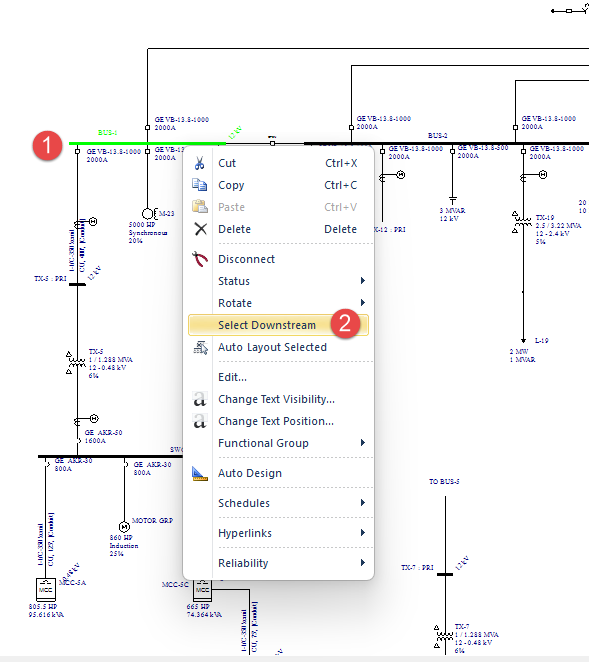
Figura 1: Select Downstream Option
All items downstream of the topmost item are selected.
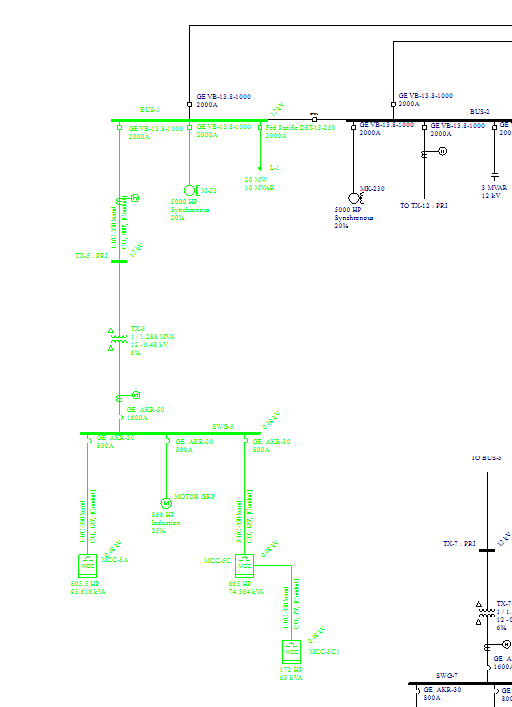
Figura 2: Downstream Items Selected
You can now perform other functions on the selected items.
Note that this feature is also available from the Find-Select menu.
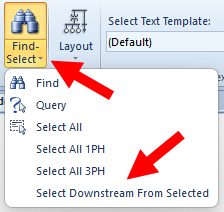
Figura 3: Select Downstream from Selected Option