Para Instalar Idiomas Adicionales
EasyPower supports the following languages for the user interface, Help, and documentation:
- English
- Chino
- Español
- Portuguese
Los idiomas inglés y chino son instalados con EasyPower por preconfiguración.
Nota: EasyPower utiliza las configuraciones de Región de Windows para determinar que versión de idioma de EasyPower a mostrar.
-
For a new installation, select the language you want to install as part of the EasyPower installation process. Ver Performing the Installation para más información.
-
If you have already installed EasyPower and want to add additional languages
-
Use the Windows Control Panel to open the Uninstall or change a program page.
-
Right-click on the EasyPower program
-
Click Modify.
-
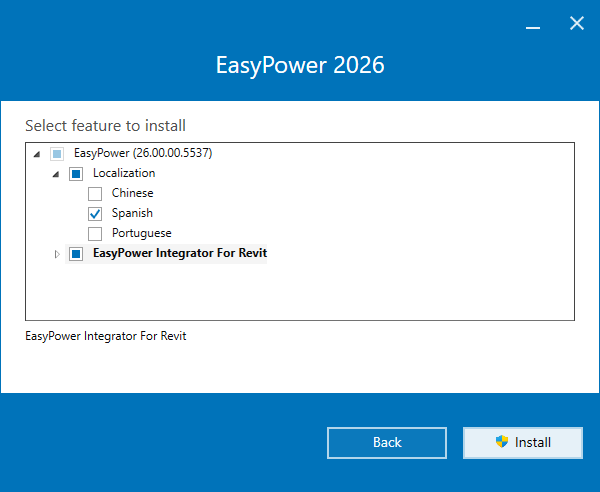
During the installation process, when you are asked to select which features to install, under Localization, select the languages you want to add.
-
Click Modify when finished, and continue the installation.
-
Cuando termina, notará un nuevo directorio en su carpeta ProgramData para el idioma. Por ejemplo, si instaló español, verá una carpeta llamada Español.
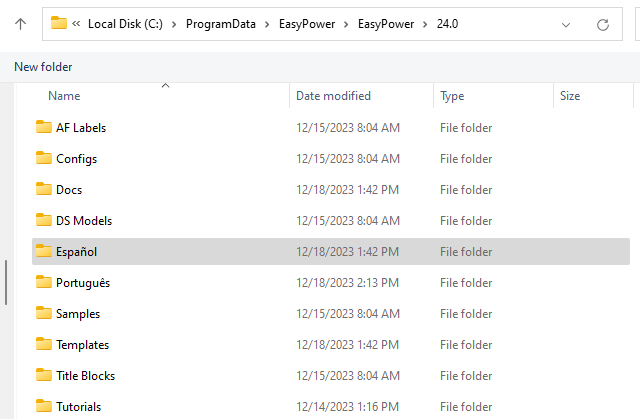
Figura 1: The Español Folder is Installed