For any panel or MCC, when you view the Summary tab of the data dialog box, the loads defined in the individual dialogs are already accounted for. Choosing the command Calculate Downstream Load updates the leftmost column of the table by fetching the calculations from downstream equipment.
We can also update the load calculations for the entire system. In the File Properties dialog box on the Code Factors tab, click Recalculate All Downstream Load.
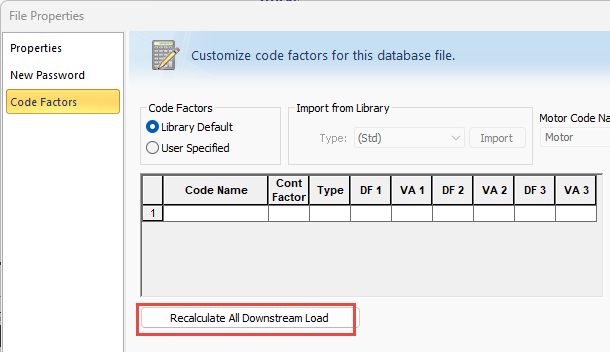
Figura 1: Recalculate All Downstream Load in the File Properties Dialog Box